
Signature Maker
Draw or type your signature and download it as a transparent PNG for documents and forms. Create your digital signature for free.
Written by SamundraLast updated
Sign here
Your signature is created on your device and never sent anywhere. The PNG has a transparent background, so it sits cleanly on any document. To sign a PDF directly, use Fill & Sign PDF.
Related tools

Introduction
Signature maker is an online tool that captures or creates the visual shape of a signature. You may draw in the canvas with mouse, trackpad, finger or type your name in script style font. You can also upload an existing file or scan.
A traditional handwritten signature is ink placed directly on paper. A digital handwritten signature recreates that visible mark in a file. People often call the result a “digital signature” which is a big take. A digital signature can also refer to cryptography that helps verify a signer and detect later changes.
Your signature reflects your personality, even in your absence. It is a symbol of your identity and pride.
How a signature becomes digital
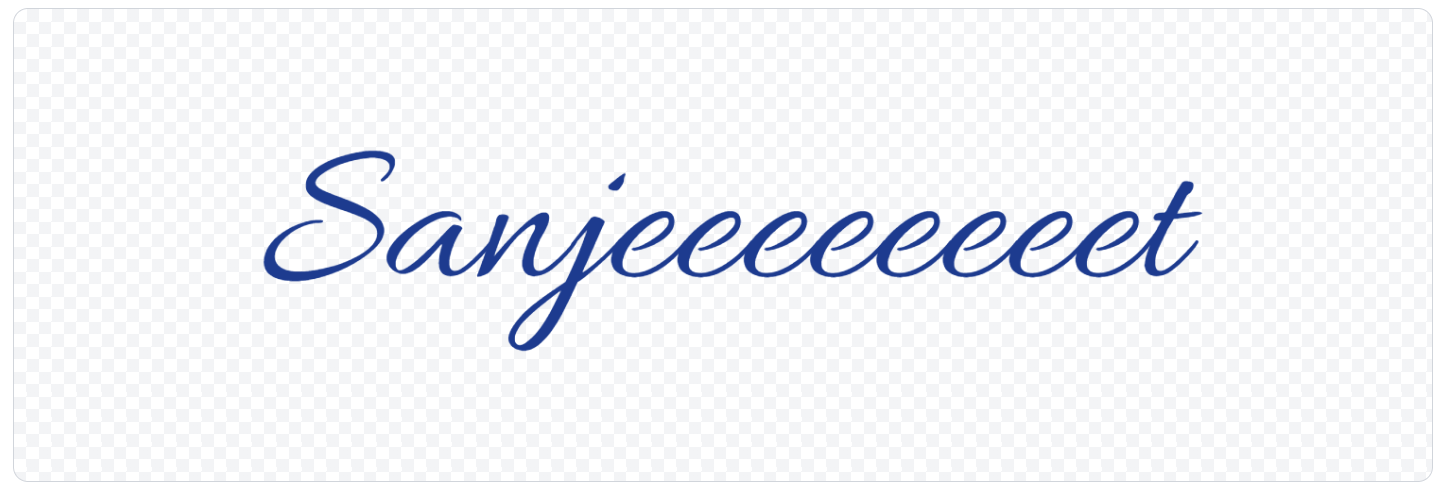
The tool records your strokes or typed characters, converts them into image or vector data, and displays a preview. By downloading, it can export that artwork in a supported format such as PNG. A transparent signature removes the solid background so the mark can sit naturally over a document’s signature line.
How Does an Online Signature Maker Work?
An online signature maker provides an input area in the browser. When you draw, the page records a sequence of pointer coordinates from your mouse, finger or trackpad. It then connects those points into smooth strokes. When you type, the tool renders your characters with a selected font style instead.
Useful Tooler Signature Maker is a secure tool that does not store any signature you made with it. We never store your signature on our servers or share it with third parties, keeping your signature safe and secure. It is the safest signature creator in the market.
Types of Digital Signatures You Can Create
- Handwritten
You reproduce your normal pen strokes with a finger, mouse, or trackpad. This is the closest option to creating a handwritten signature online. It replicates the real signing feeling.
- Typed
You enter your name and choose from the styles the tool provides. This option is fast and consistent, although it may look less personal.
- Uploaded or scanned signature
For upload, you can start with a photograph or scan of a signature written on paper. Crop it closely and remove shadows before use.
Which method should you choose?
- Choose a drawn online signature when you want a clean digital result without scanning paper.
- Choose a scan when matching an existing ink signature matters and the destination accepts an image.
- Choose a formal signing platform when the document or recipient requires identity checks, workflow records, or certificate-based signing.
Don't wait, create your own signature now with Useful Tooler Signature Maker. It is safe, secure, reliable and has a lot of features.
Where can I use digital signature?
- PDFs: Add a professional signature to show your approval or authority.
- Business documents: Add a signature to mark approval on authorized files.
- Applications and forms: Add your signature when image-based signatures are accepted.
- Letters and email documents: Add a familiar sign-off to your prepared documents.
- Invoices: Add your signature to indicate approval or acknowledgement.
- Agreements and contracts: Add a signature when the required signing method permits it.
- Educational documents: Sign approved forms, letters, or other required documents.
- Office files: Insert your signature into Word documents, presentation, or spreadsheet files that support images.
- Templates: Reuse your signature for recurring documents when authorized.
Signed documents, authorized emails, agreements and contracts are the outcome of digital signature.
Benefits of Using an Online Signature Maker
- Saves routine steps: Avoid printing, signing, scanning, and cropping the same signature each time.
- Supports digital workflows: Add a reusable signature image to documents shared through email, cloud storage, or office software.
- Easy to reuse: Keep one clean master file to maintain a consistent signature appearance.
- Reduces paper use: Avoid unnecessary print-and-scan cycles when the recipient accepts image-based signatures.
- Works across devices: Works on a computer, phone, tablet or other digital devices having browser.
- Simple to place: Use a transparent signature file to position the signature neatly without covering nearby content.
How to Make a Professional Digital Signature
A signature maker can help with presentation, but the quality of the result still depends on the mark you create. Aim for a signature that is distinctive enough to recognize and simple enough to reproduce consistently only by you.
Tips to make you signature look more professional
- Use your natural motion: Write as you normally would instead of forcing elaborate loops that are difficult to repeat.
- Keep it readable: Your full name does not need to be perfectly legible, but the signature should remain recognizable.
- Choose a dark color: Black or deep blue usually provides clear contrast on white documents.
- Use a moderate stroke: Avoid strokes that are too thin or too thick, as they may affect clarity.
- Leave clean space: Crop unnecessary blank space without cutting off any part of the signature.
- Use a transparent background: A transparent signature blends more naturally into digital documents.
- Test the final size: Insert the signature into a sample document or PDF to check its clarity and proportions.
- Keep a master copy: Save one clean version of your signature to maintain consistent appearance across documents.
Digital Signature Vs Electronic Signature
| Terms | What it usually means | What it can show |
|---|---|---|
| Signature image | Visible drawn, typed, or scanned artwork | How a signature looks |
| Electronic signature | Electronic action used to express agreement | Intent within a signing process |
| Digital signature | Cryptographic method tied to digital data and often a certificate | Technical verification and change detection, depending on implementation |
Also try Lorem Ipsum Generator
How to use
Draw, type or upload you signature
You can choose how you want to make your signature. You can draw into the canvas, type the text or upload from files.

Customize and edit
You can draw, upload or write the text you want to use as a signature and select the font style you want for it.

Preview the signature
You can preview your signature and make changes as per you want.
Color Selection and Download
You can choose between blue and black color and download the signature in transparent PNG format or in 2x size.
Frequently asked questions
What is a signature maker?
A signature maker is an online tool that lets you draw, type, import, preview and download a signature. You can use it to sign your documents.
How can I create a digital signature online?
Open useful tooler signature maker, choose an available input method, draw or type your mark, adjust the offered settings, preview the result, and download it in a supported format.
Is the signature maker free?
Yes, useful tooler signature maker is a completely free online tool. You can create, edit and download the signature for free without any installation and registration.
Will you use my signature after I create it on this page?
Never. Any signature created using our signature generator is not saved on our servers. We do not retain copies of your signature or documents, and we never share them with third parties.
Can I create a handwritten digital signature?
Useful tooler signature maker offers a drawing canvas where you can create any kind of signature you want. You can use mouse, trackpad or finger if your device supports it.
Can I download my digital signature?
Of Course! you can download your signature in transparent PNG form or even in the double size if you want, everything for free.
Can I create a signature with a transparent background?
Yes, you can choose the transparent-background option by downloading the signature in PNG format.
Can I use digital signature in PDF?
You can often insert a signature image into a PDF with a compatible editor. You can insert your signature into the document in MS Word or other document editor. And then export the document in .pdf format.
Is an electronic signature the same as a digital signature?
Not always. An electronic signature is a broad electronic action used to express intent. A digital signature, in the technical sense, uses cryptography to support verification and change detection. A drawn or typed signature image may be part of an electronic-signature process without being a cryptographic digital signature.
Can I create a signature on my phone?
Yes, useful tooler signature maker is mobile-friendly. A touchscreen can make handwritten input more natural and gives you full control over the creation.
Last updated:
Share this tool
Know someone who'd find it useful? Send it their way.